Your comments.
Directly in your NLE.
Import RevCut timecoded comments as DaVinci Resolve markers — one click, zero copy-paste, no timeline hunting. Free for all RevCut subscribers.
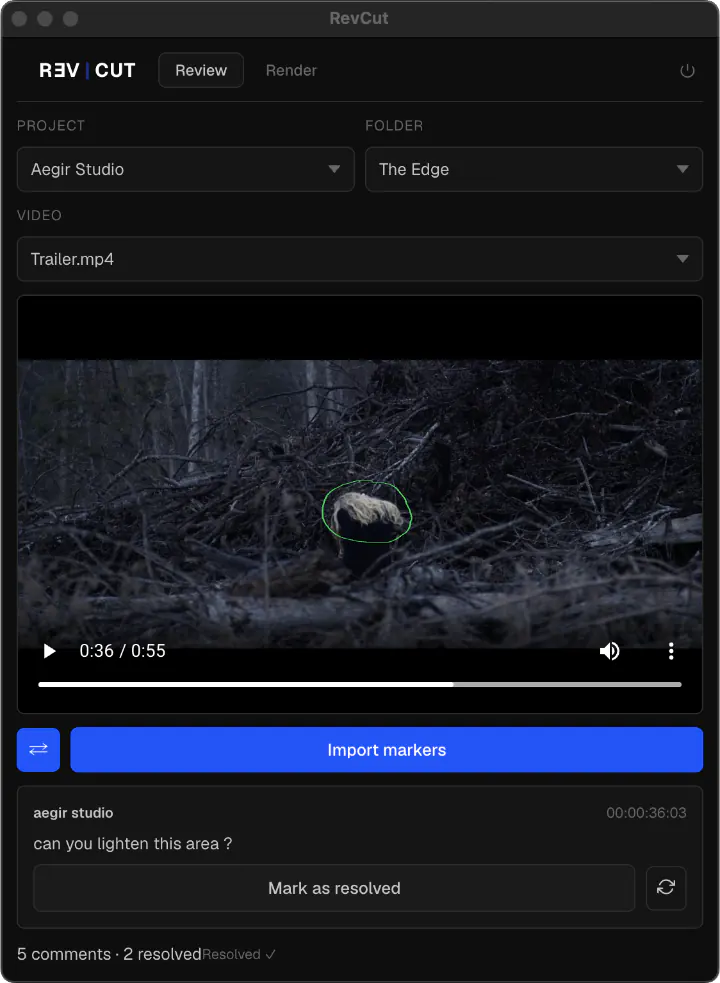
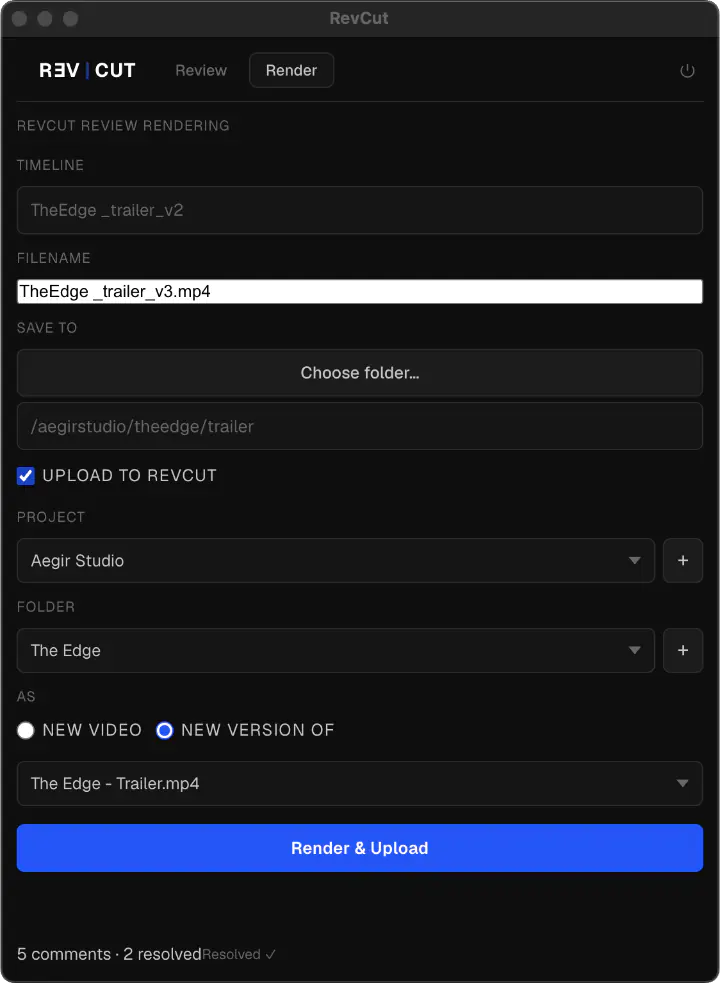
What it does
Review and deliver without leaving Resolve. Two tabs, one plugin.
Review tab — Built-in video player that floats on top of Resolve. Import RevCut comments as color-coded markers on your timeline. See frame pins directly on the image. Mark comments as resolved. Sync the playhead from Resolve to the plugin so scrubbing your timeline moves the player with you.
Render tab — Render your active timeline directly from the plugin using RevCut-optimised preset. Save locally, and optionally upload straight to your RevCut project as a new video or a new version. Notify your client by email — all from inside Resolve.
Installation
- Download the zip and unzip it. You'll get a folder
com.revcut.extensionand a PDF guide. - In Finder, press
⌘ + Shift + G(or menu Go → Go to Folder…) and paste:/Library/Application Support/Blackmagic Design/DaVinci Resolve/If theWorkflow Integration Pluginsfolder does not exist, create it manually — the name must be exact. - Drag the
com.revcut.extensionfolder intoWorkflow Integration Plugins. - Import preset into DaVinci Resolve: go to the Deliver page, in the Render Settings panel click ••• → Import Preset, and import the
.xmlfile from thepresets/folder inside the plugin. - Restart DaVinci Resolve.
- Go to Workspace → Workflow Integrations → RevCut.
- Sign in with your RevCut account. That's it.
What's new in v1.1
Complete rewrite. New markers for Drawing. New Render tab with native DaVinci Resolve integration. Drag-and-drop install (no Terminal, no Node.js). Create RevCut projects and folders directly from the plugin. Unified login for account owners and team members.
No account yet?
Both plugins work with any active RevCut subscription — Starter, Essential, Pro, or Max. 14-day free trial, no credit card required.