

Video Review Tool for Editors
From First Cut to Final Cut

Video review and client feedback tool for editors and agencies

Stop chasing email timestamps. Share secure review links, get frame-accurate video feedback, and deliver final masters — all without logins or extra apps.
No ads. No AI training. No data resale. Clear deletion policy. GDPR-minded by design.

Start 14-Day Free Trial How it works
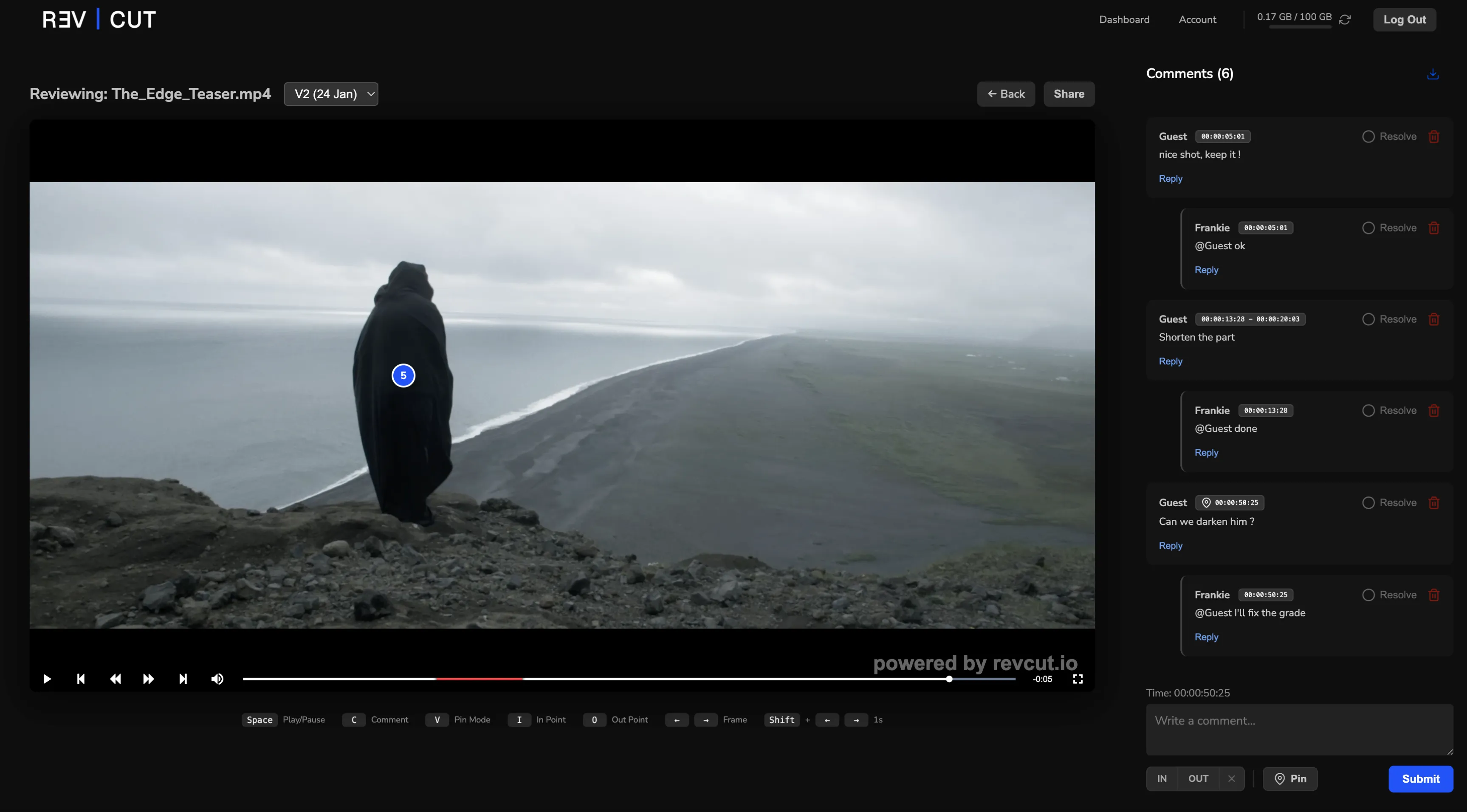
RevCut video review interface with frame-accurate client comments and timeline markers

A peek inside your workspace

Straight to the Point Workflow

Step 1

Upload

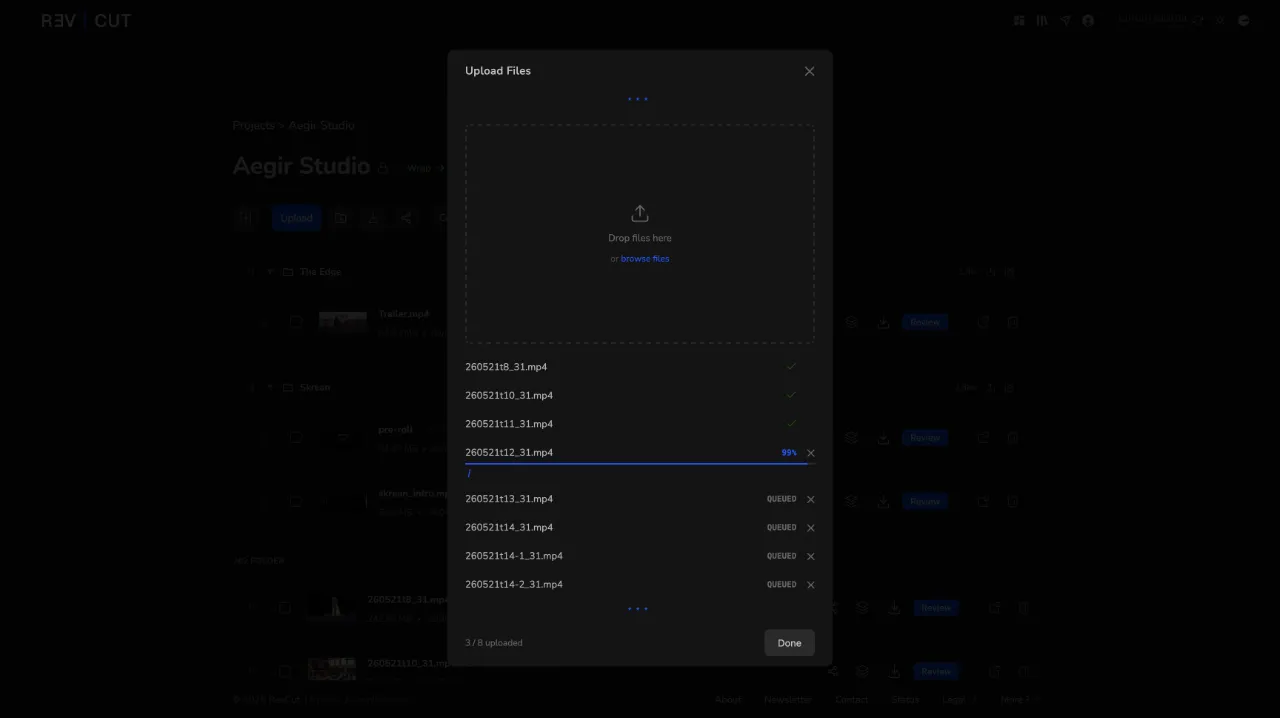
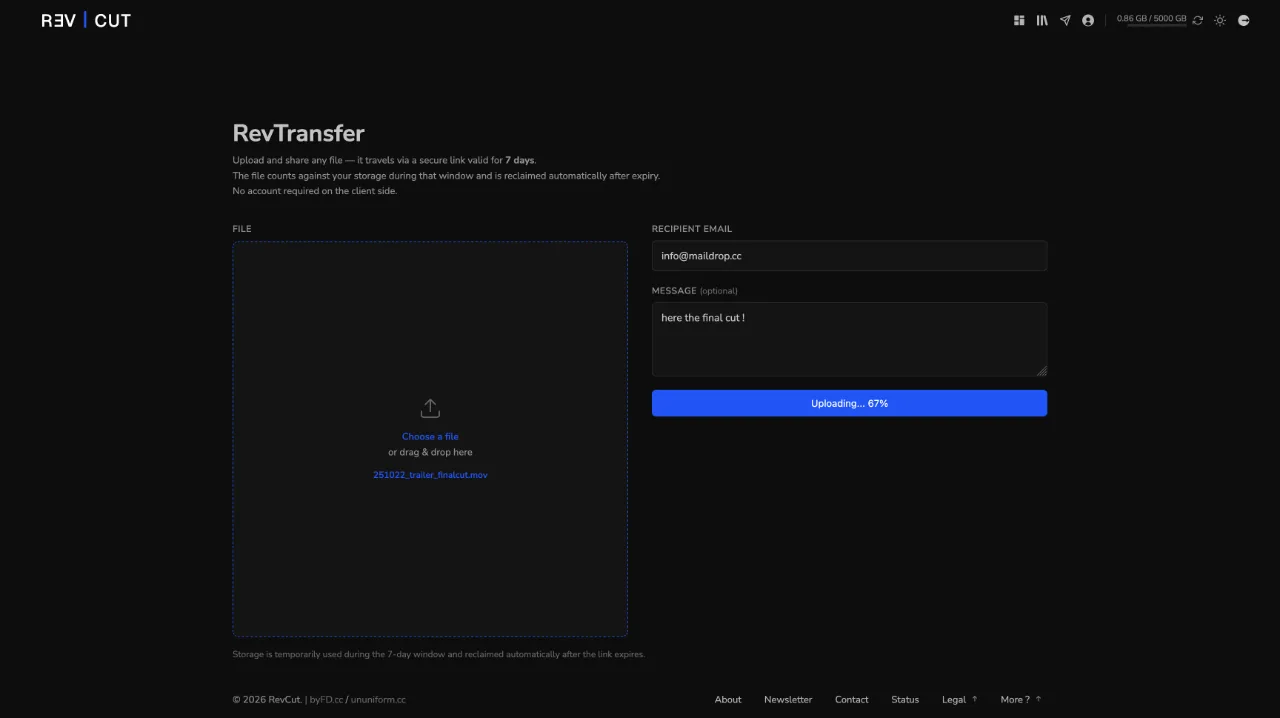
Upload your video draft securely and generate a shareable link instantly.

Uploading a video to RevCut with a live progress bar
Step 2

Share

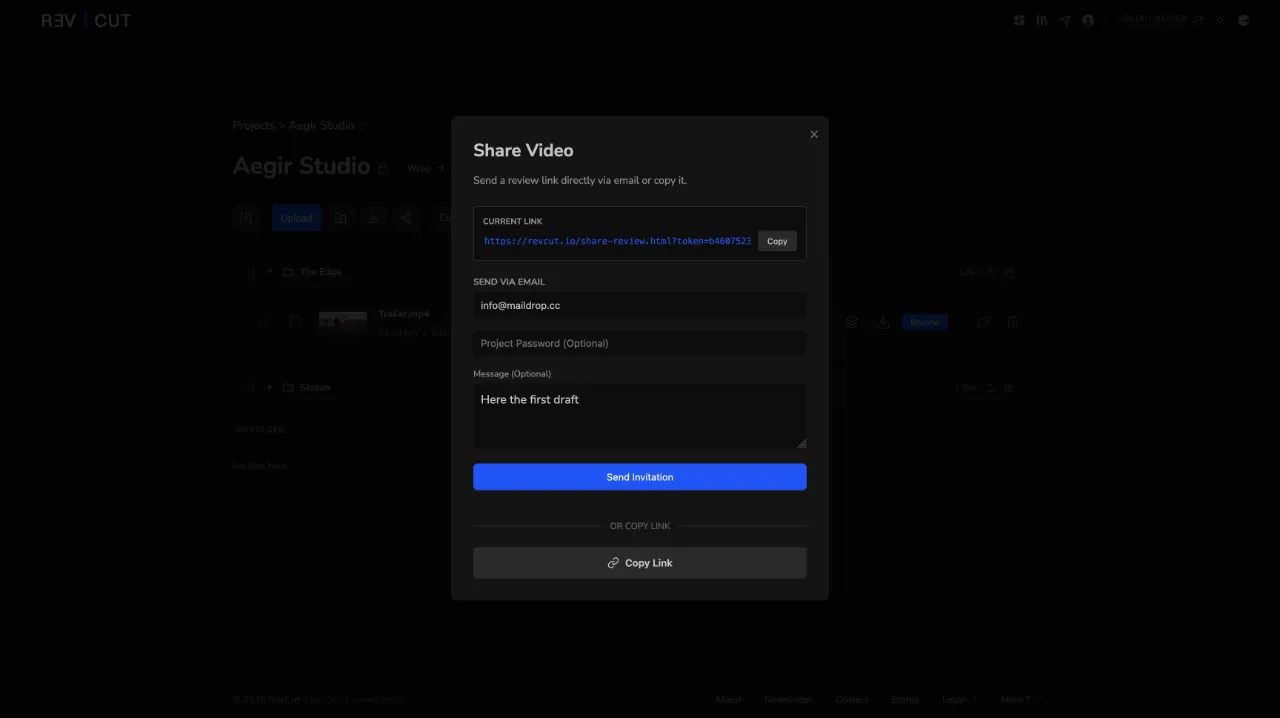
Send the link to clients or teammates — no accounts, no downloads, no confusion. Password-protected for privacy.

RevCut share popup with review link, password and expiry options
Step 3

Pinpoint

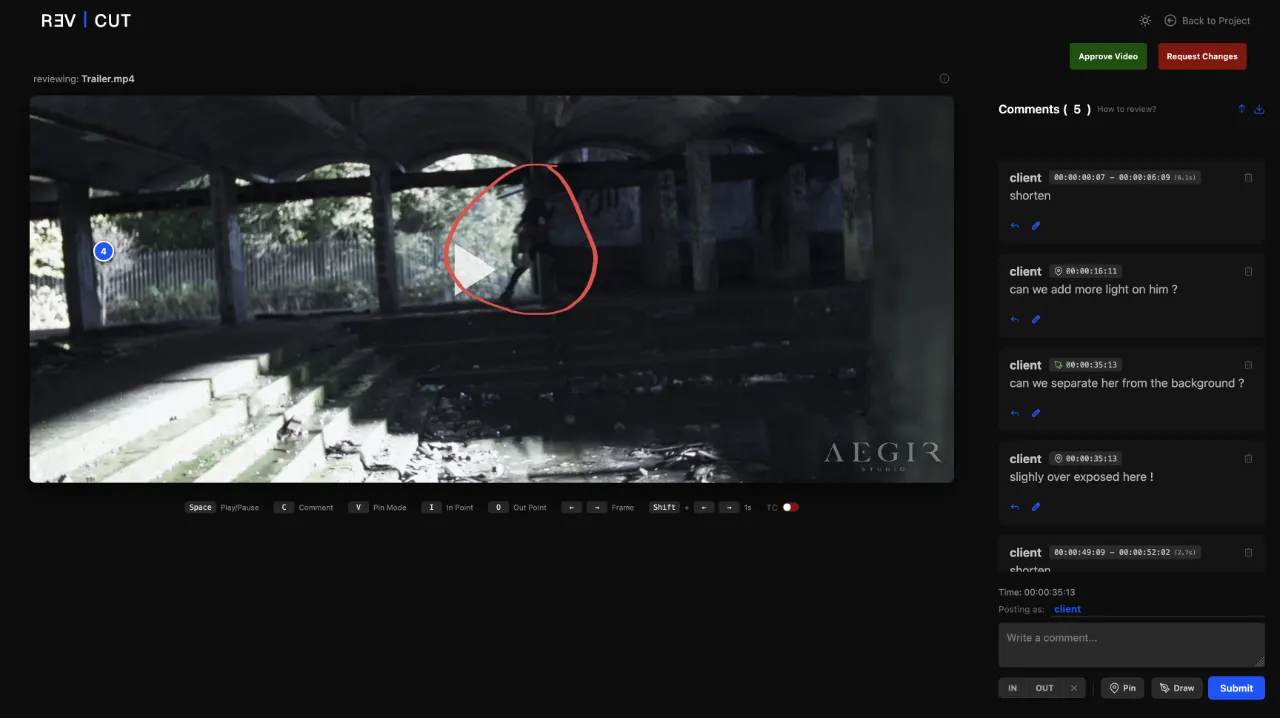
Get frame-accurate comments, pin details, or highlight time ranges — precise feedback, faster revisions.

RevCut review view with a frame-accurate pinned comment and timestamp
Step 4

Deliver

Once approved, send the Final Cut directly to your client, keep everything in one place.

Delivering a final master file with RevTransfer in RevCut

More than a comment box

Some notes are hard to type out. So your client doesn't have to — they draw on the frame, flag a range, or drop a pin. You see exactly what they mean, first time.

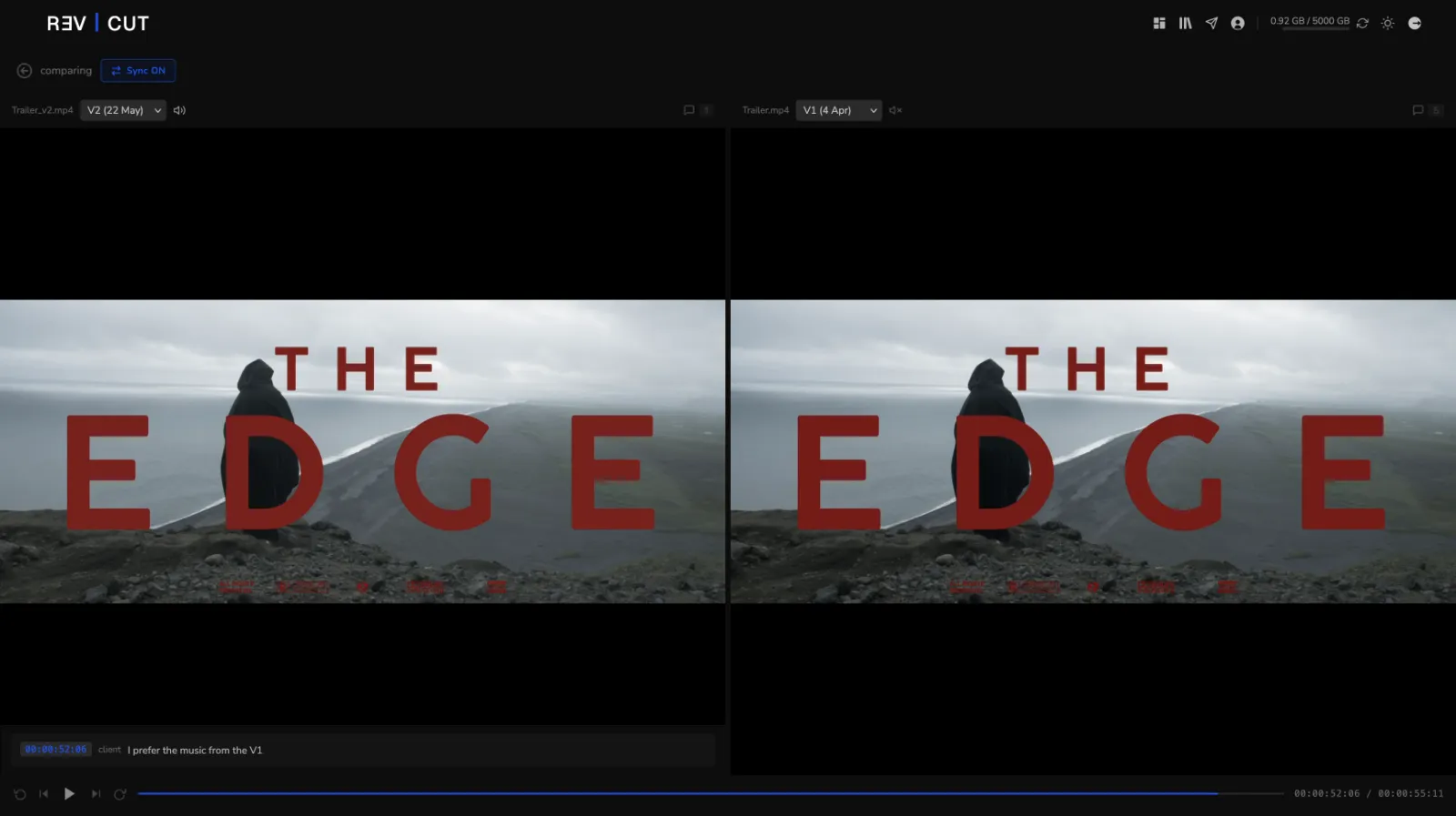
RevCut compare view showing two video versions side by side, scrubbing in sync

Compare versions side by side

Drop two cuts next to each other and scrub them in sync. The change is right there, no more “wait, is this the new one?”.

Drawing an annotation directly on a video frame in RevCut

Draw on the frame

Circle it, arrow it, scribble on it. The note lands on the exact frame — not buried in an email.

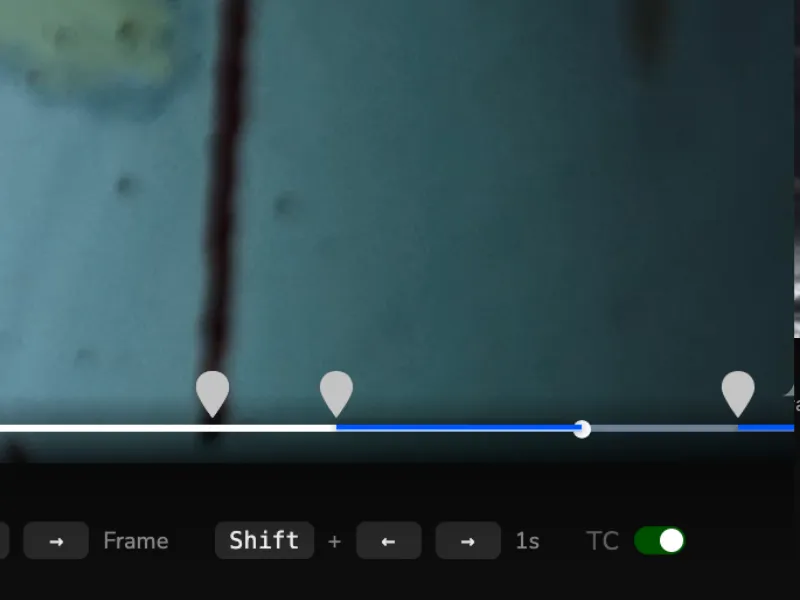
Marking an in and out time range on a video in RevCut

Mark time ranges

Some notes cover a whole section, not a single frame. Set an in and out point and flag the lot.

Dropping a precise pin on a video frame in RevCut

Pin to a point

Drop a pin on the exact spot. No more “the thing in the top corner, you know the one.”

NEW — BETA

Review and deliver
without leaving your NLE.

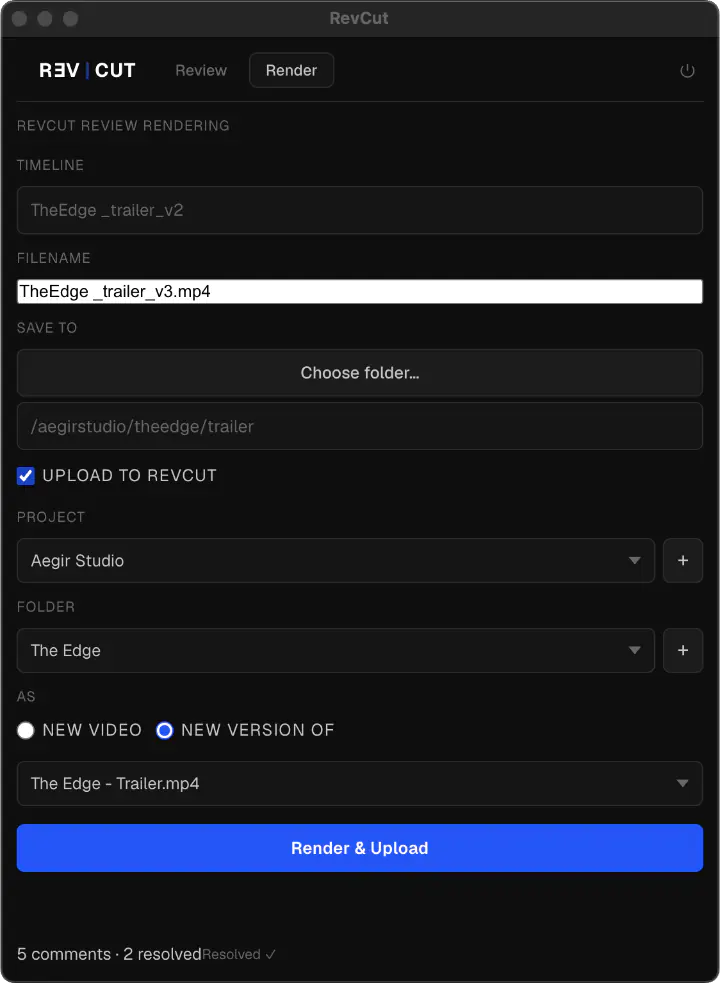
Starting with DaVinci Resolve, our plugin brings RevCut comments as timeline markers, and lets you render & upload directly from the Deliver page. No exports. No upload queues. No browser tabs.
Premiere Pro, After Effects and Final Cut Pro coming later.

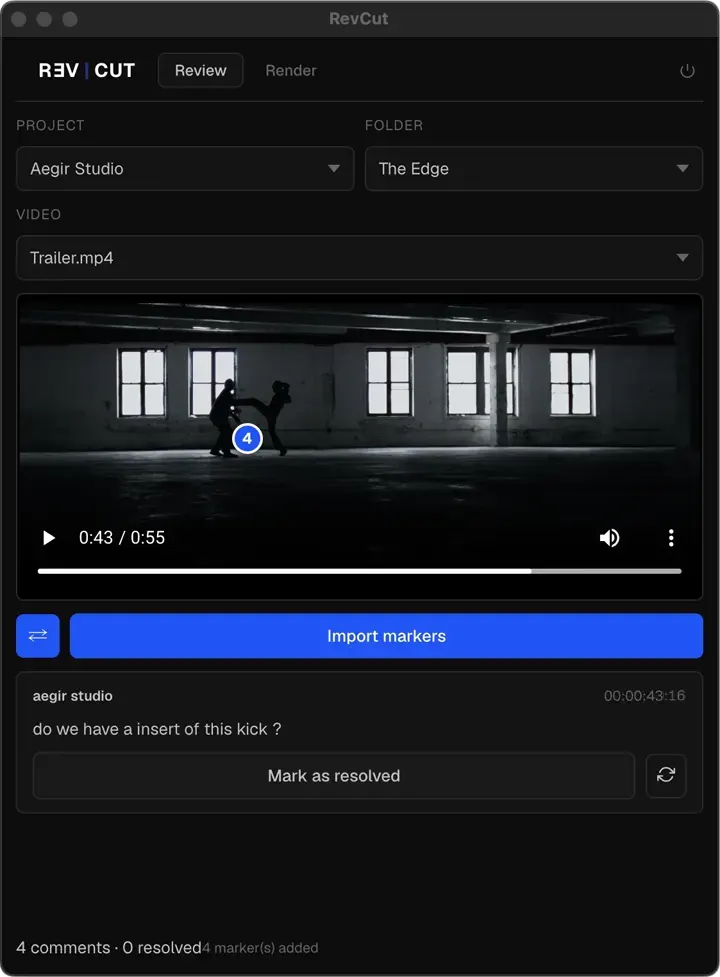
RevCut DaVinci Resolve plugin importing client comments as color-coded timeline markers RevCut DaVinci Resolve plugin - render and upload video directly from the Deliver page

Frame-accurate markers

Import client comments as color-coded timeline markers in one click.

Render & upload

Render with RevCut presets and upload straight to your project — or a new version.

Built-in player

Floating panel with video, pins, and playhead sync from Resolve.

Download the plugin →

macOS · DaVinci Resolve Studio 18+ · Free for all RevCut subscribers

Premiere Pro, After Effects and Final Cut Pro plugins in development.

Looking for a simpler video review workflow?
Discover how RevCut comparesRead our client feedback guide

Built for Active Workflows

RevCut is a high-speed review pipeline, not a cold storage warehouse.
Upload, approve, deliver, and move on.

Optimized For

  • Video Upload (MP4 / MOV)
  • Active Review Cycles
  • Final Delivery (Masters)
  • Fast Turnarounds

Not Intended For

  • Long-term Cold Storage
  • Full Drive Backups
  • Raw Footage Dumping
  • Project Files (.drp, .prproj)

Simple, transparent pricing.

Start for free. Upgrade when you need more space.
Downgrade when you need less.

Monthly Yearly -17%

— For Teams —

Crew
€69 / month 2 months free

For small teams. One shared workspace, multiple editors.

  • 3 TB Secure Storage *
  • 8 Seats (owner + 7 editors)
  • 20 Active Sessions **
  • Unlimited Projects
  • Unlimited Client Reviewers
  • Pause Comments
  • Download Control
  • Customizable Watermark
  • White-label shared pages
  • GDPR-Compliant
  • RevTransfer
Studio
€149 / month 2 months free

Full agency setup. Maximum capacity, unlimited sessions.

  • 5 TB Secure Storage *
  • 15 Seats (owner + 14 editors)
  • Unlimited Active Sessions **
  • Unlimited Projects
  • Unlimited Client Reviewers
  • Pause Comments
  • Download Control
  • Customizable Watermark
  • White-label shared pages
  • GDPR-Compliant
  • RevTransfer

* Active Storage Policy: This storage is designed for active Review & Delivery cycles. Keep your workflow fast and clean by wrapping up completed projects. RevTransfer files expire automatically after 7 days.

** Active Session: Maximum number of devices logged in simultaneously with the same email. Multi-user team accounts are not supported yet

A video review tool, built by an editor

RevCut exists because two of my biggest clients refused the big players. GDPR, and the AI training buried in their contracts. The alternatives were either overkill or overpriced, and going back to email feedback ("fix the bit around 2:34… or was it 2:43?") wasn't happening. So I built it.

It's a lightweight video review tool for editors, filmmakers and small post-production teams. Share a secure review link. No account for your client, no app to install. They leave frame-accurate comments, pins and time ranges right on the video, so your approval keeps moving.

It plugs straight into DaVinci Resolve with a native plugin, it's hosted in Europe, and it never trains AI on your footage. No bloat, no enterprise pricing. Just precise feedback and a clean delivery, the way an editor would build it.

Explore our video review software, compare alternatives to Frame.io, or read our guide on how to get feedback on video.

Ship your next edit without the back-and-forth.

Try RevCut free for 14 days. No credit card, no setup friction — just upload, share, and get frame-accurate feedback.

Start Your 14-Day Free Trial

No credit card required · Cancel anytime · Hosted in Europe with strict privacy standards (GDPR-compliant)